Know what's coming and who it hits
See the weather, turn an incoming storm into a plan, and know exactly which sites need you before the first flake falls.
Weather Forecast
Live, location-based weather for your regions and sites; snowfall, temperature, wind, official alerts, and radar, powered by National Weather Service data.
Snow Events & Affected Sites
Turn a forecast or weather alert into a snow event in a couple of clicks. SnowLink flags the sites in the storm's path and proposes the visits and schedule changes for you to approve.
Independent Forecast
Prefer your own meteorologist? Upload your trusted forecaster's reports and keep them right alongside your storm plan for the whole team to see.
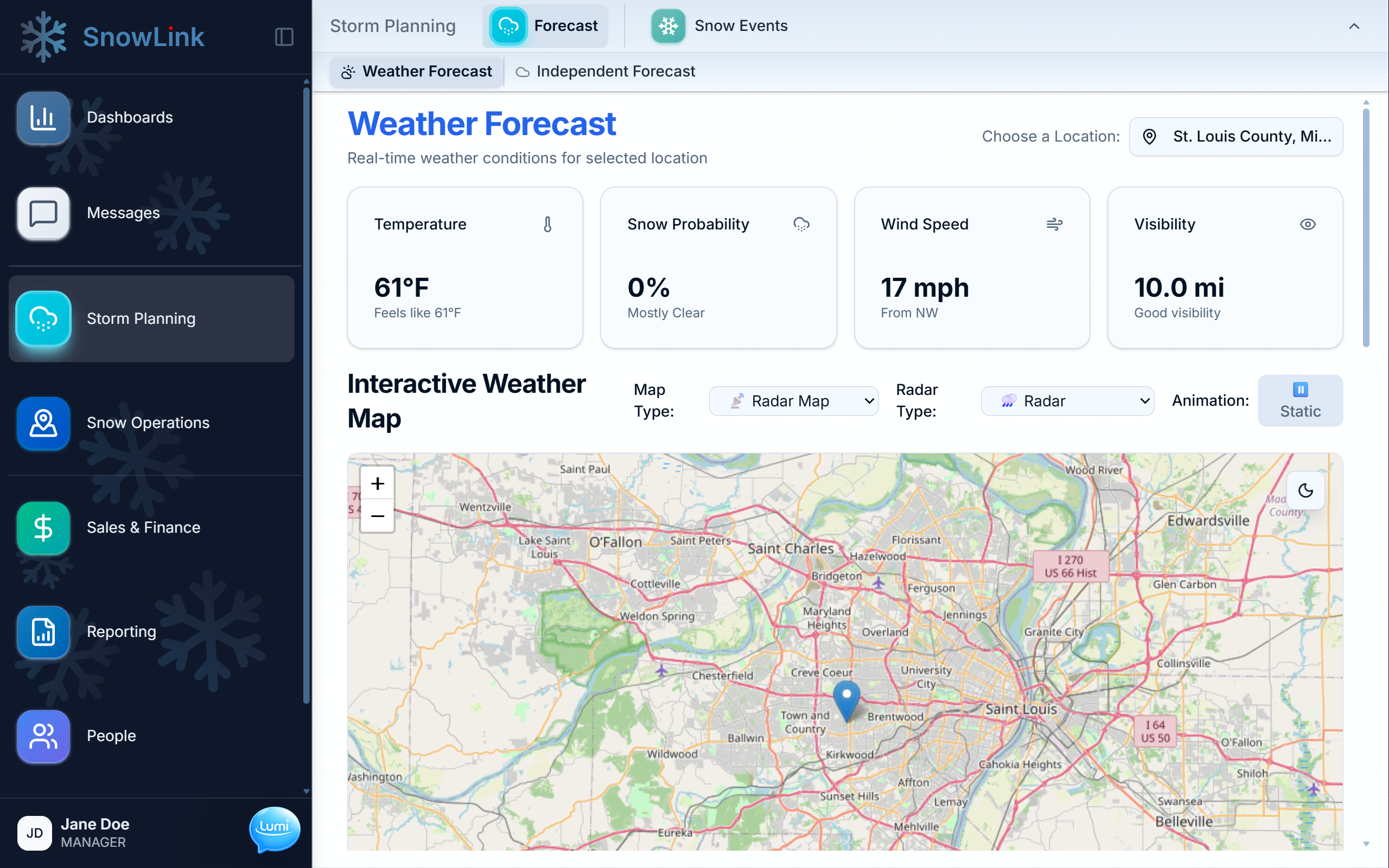
Easy navigation. Every part of SnowLink is one click away in the sidebar: Dashboards, Messages, Storm Planning, Snow Operations, Sales & Finance, Reporting and People.
Keep every crew on the right path
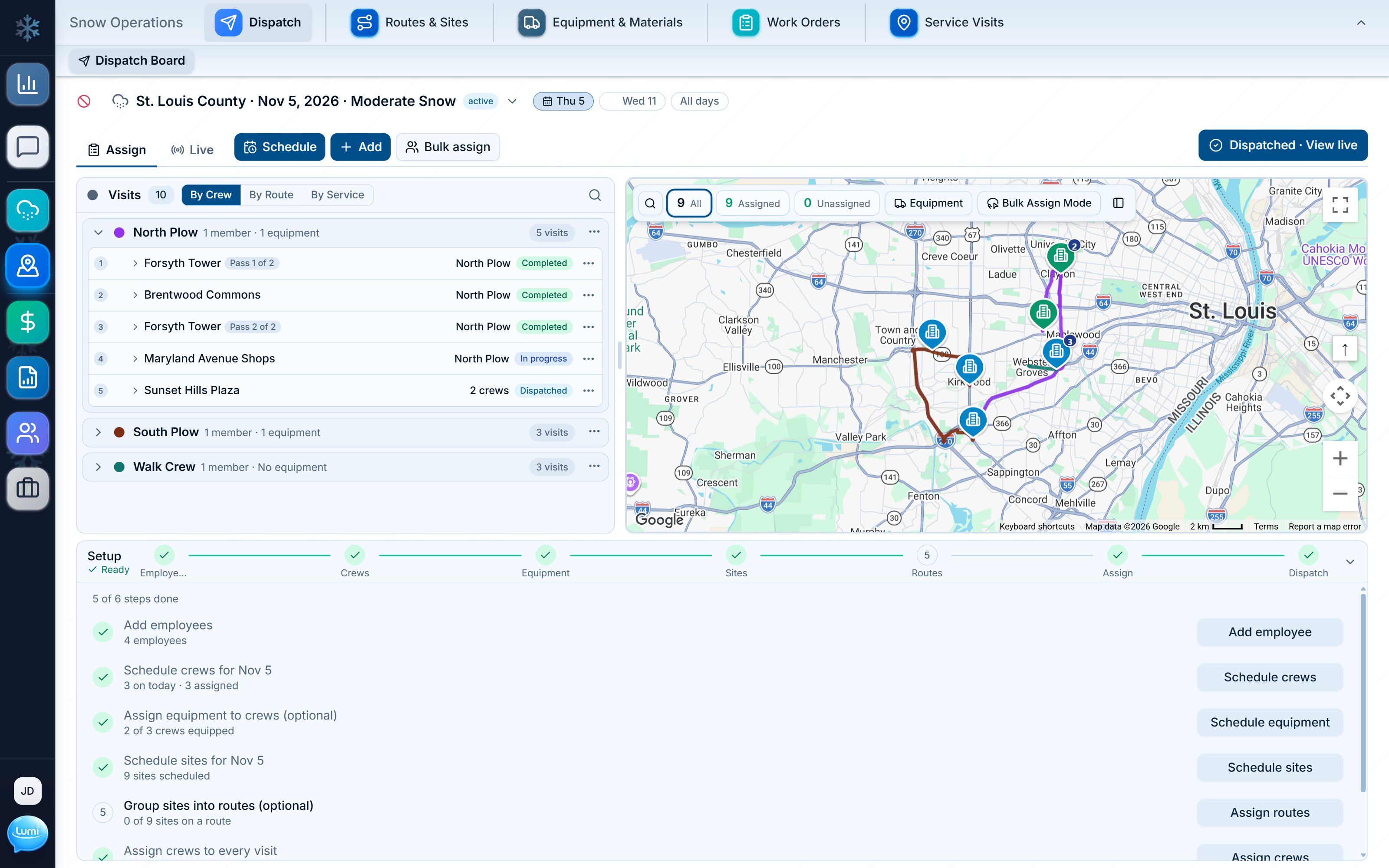
Send work to the field and watch it happen in real time, then optimize routes so you spend less on fuel and windshield time. A setup bar on the dispatch board takes you from employees and crews to equipment, sites and dispatch, with every action one click away.
Live Dispatch
Assign crews to visits and send changes, holds and priorities straight to drivers' phones, with push notifications.
Holds, Skips & Extra Passes
Drivers can request another pass or flag a problem; dispatch approves in one tap from a single approvals queue.
Route Optimization
Google Maps-powered routing reduces fuel waste and maximizes how many sites each crew can cover per shift.
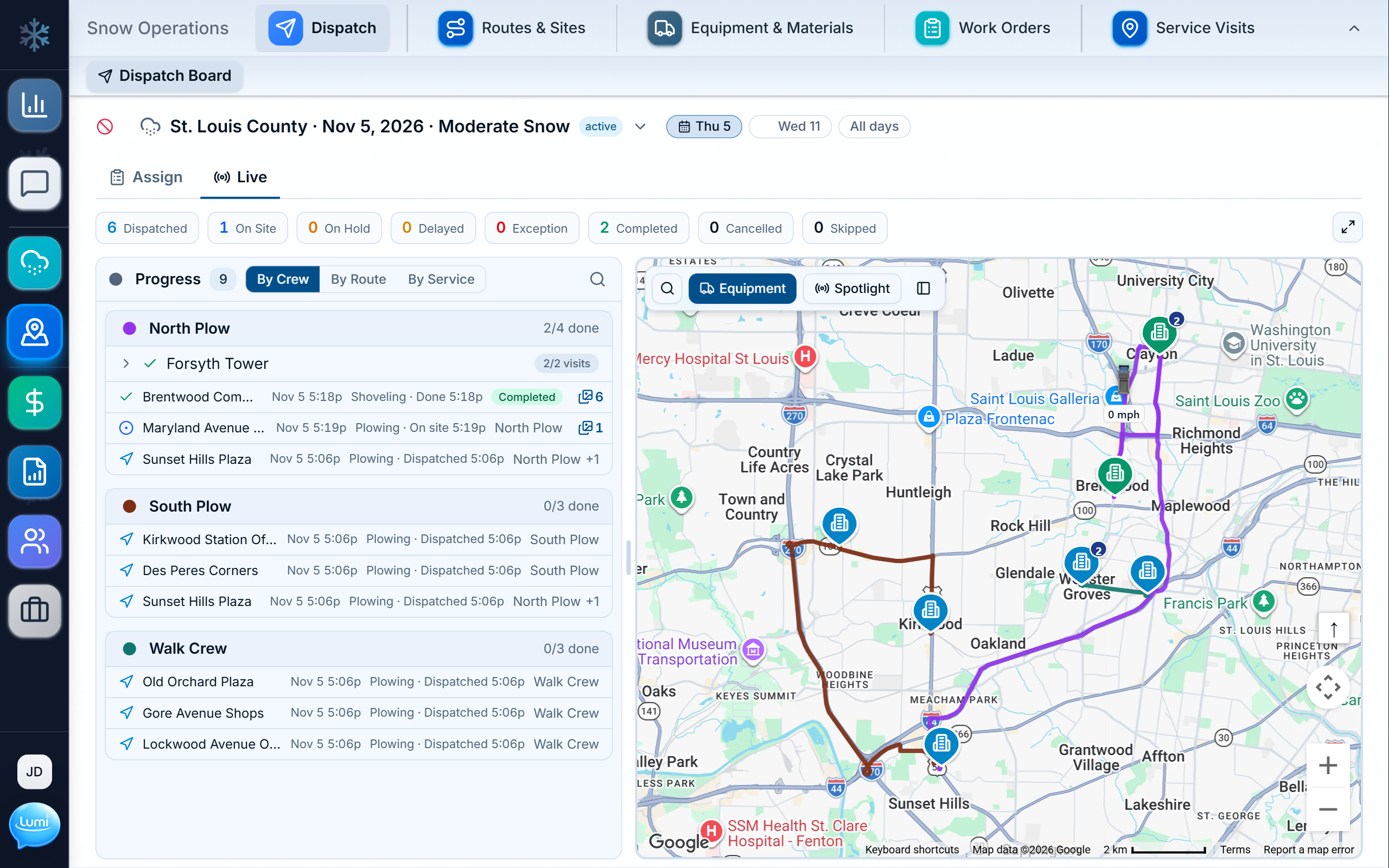
Live Visibility
Track your entire fleet on a single map with real-time GPS so you always know where every crew is.
Dispatch Replay
Replay any storm on the map to see exactly where every truck was and when.
Built for the truck, not the office
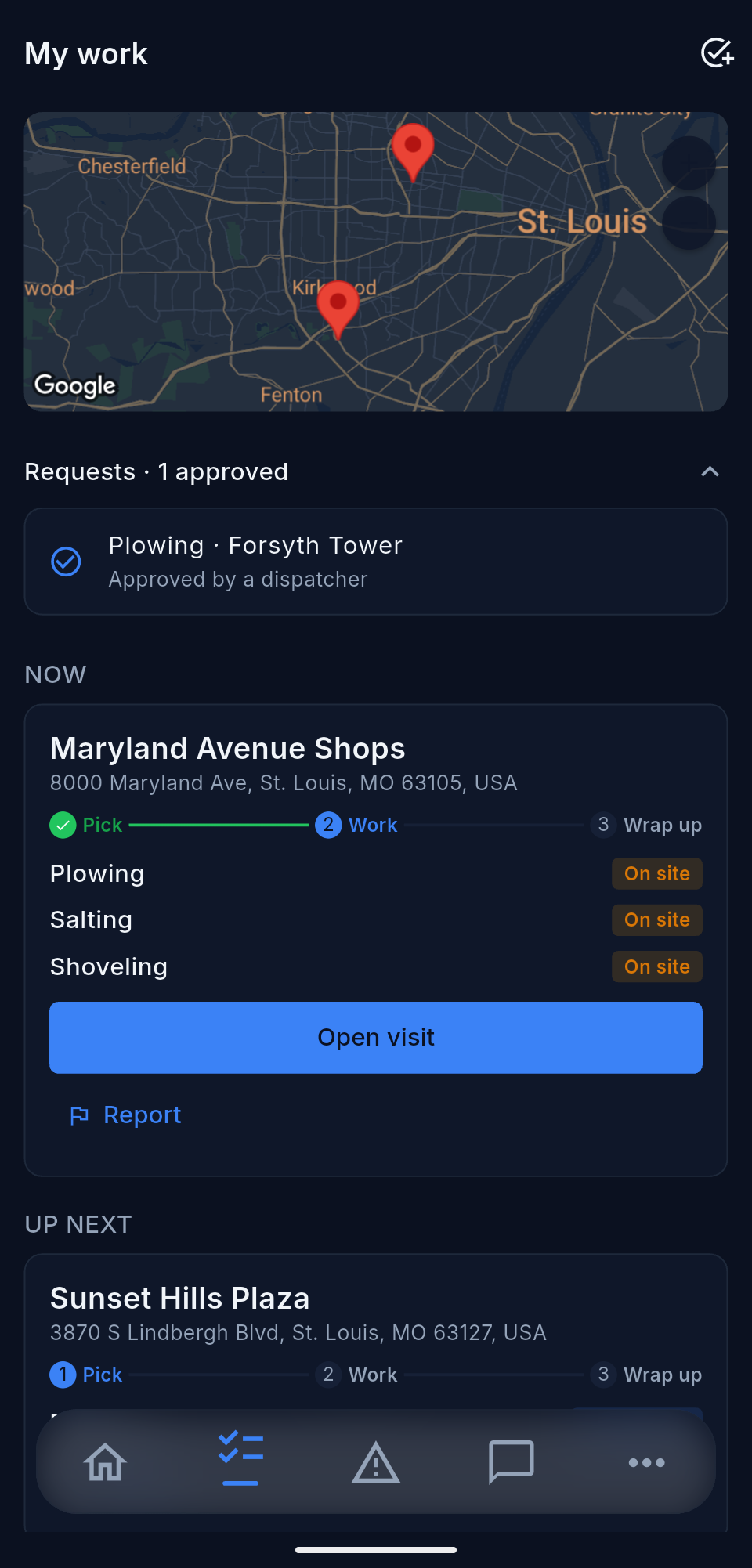
Drivers see where to go next, do the work, and move on. The app is made for storm nights and dead zones.
Works Offline
Every driver action works without signal and syncs the moment the phone reconnects.
Automatic Check-in
Drivers are checked in automatically when they arrive on site, so on-site time and job costing are accurate down to the visit.
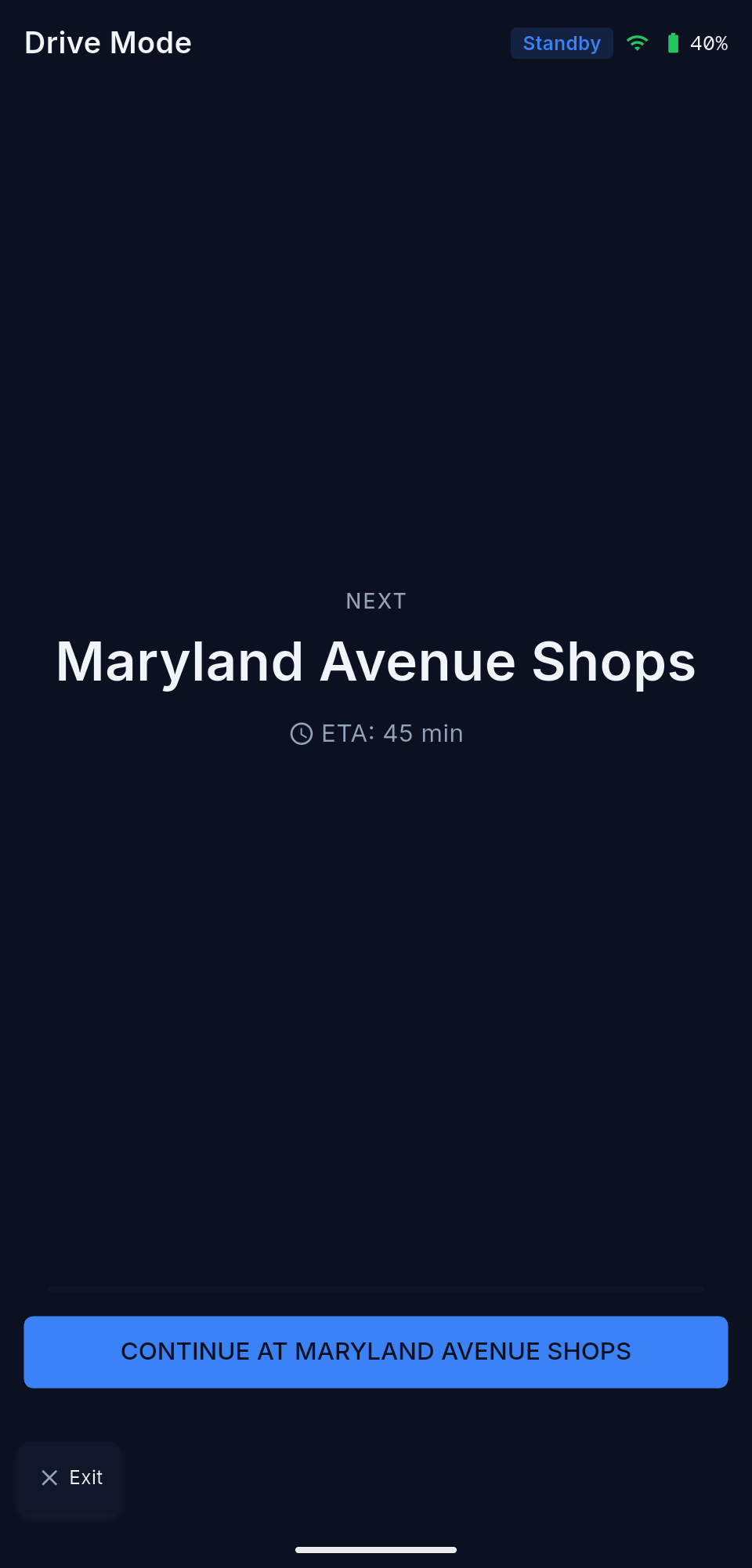
Drive Mode
A big-button, eyes-up screen for drivers: next stop, start, photos, done.
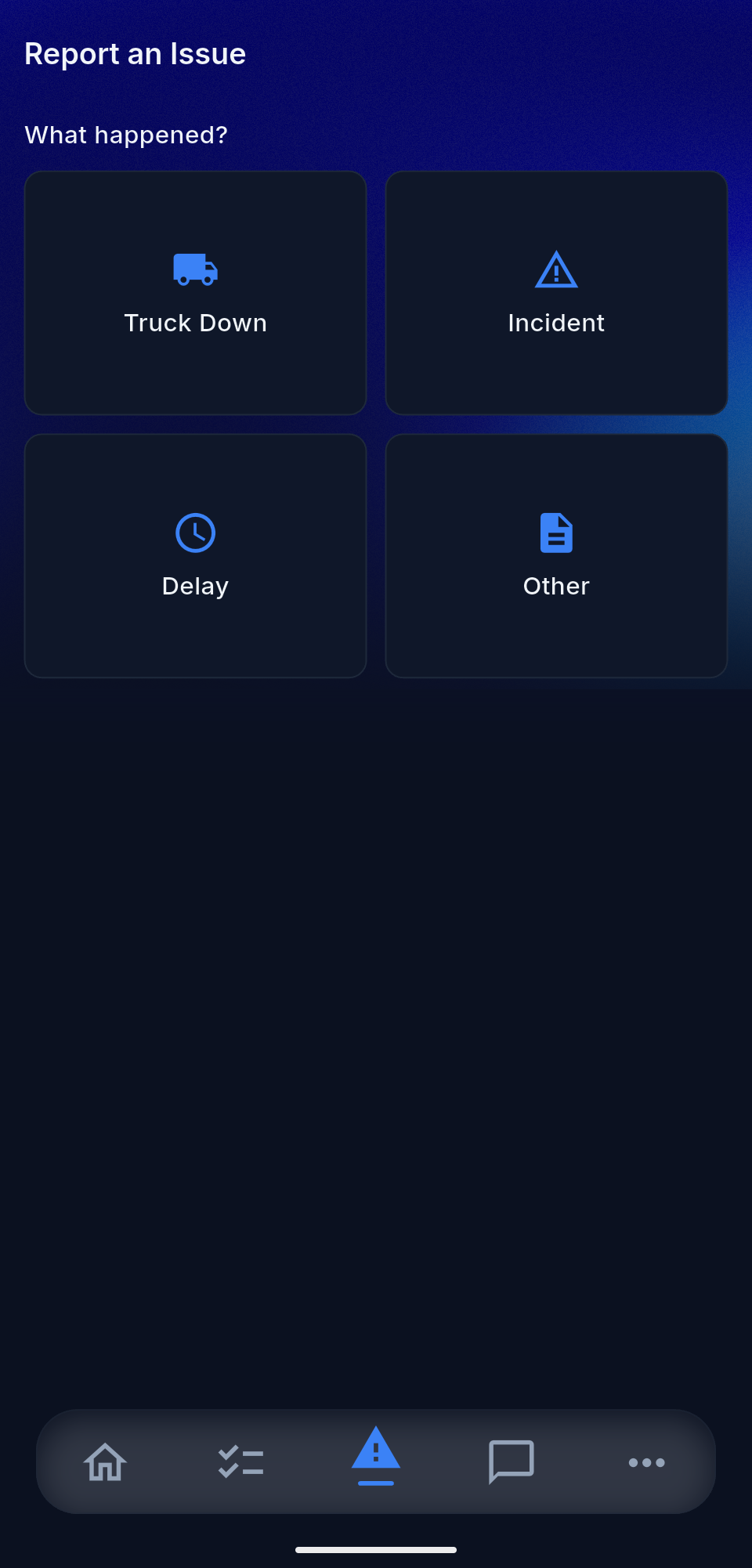
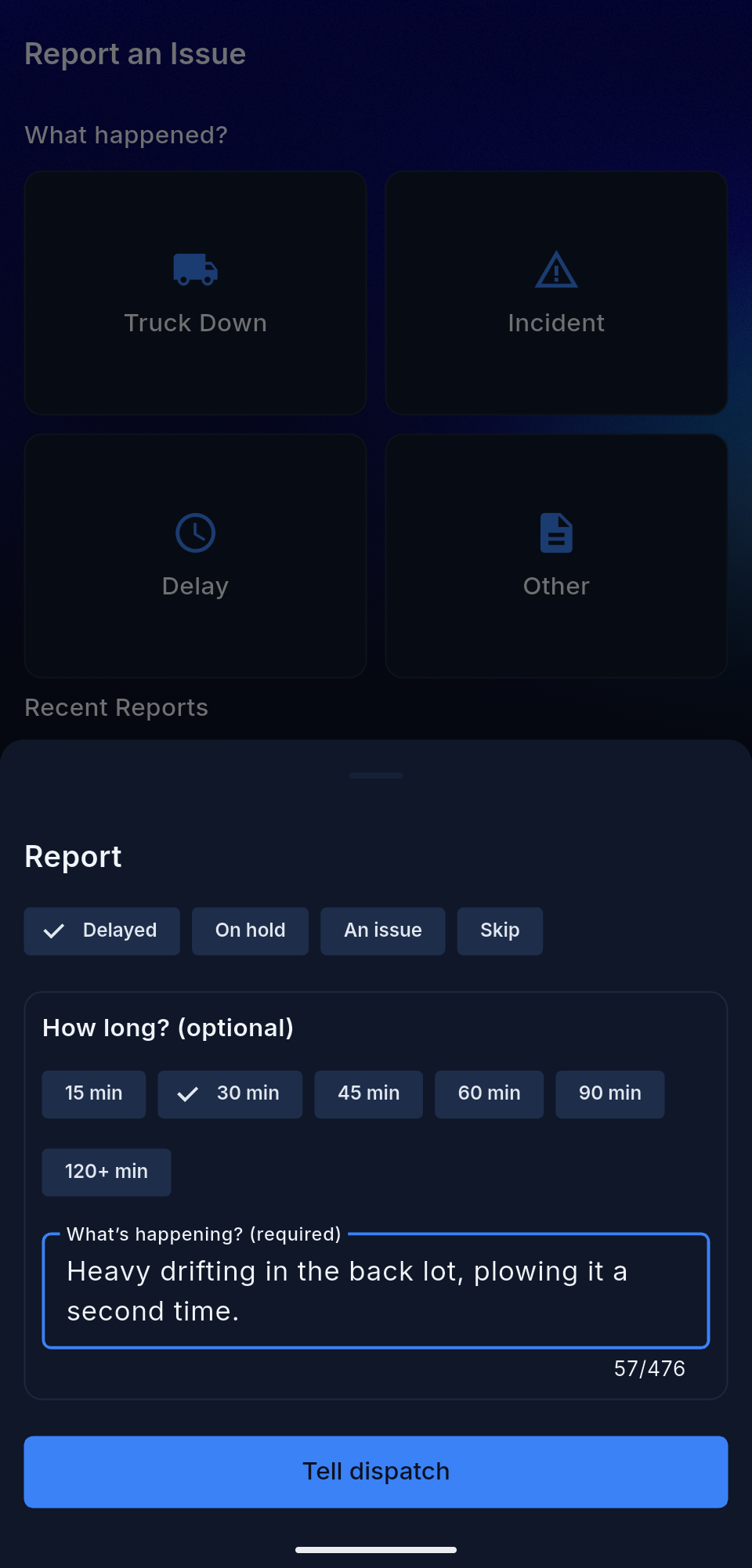
Issue Reporting
Truck down, incident or delay reported from the truck in two taps, with reserve-truck swaps.
Run the storm from anywhere
Dispatchers don't have to be at a desk. The same SnowLink app gives them the map, the approvals and a direct line to every crew.
Dispatcher App
Run the storm from your phone: watch the map, handle approvals, add sites and start a snow event.
Crew Chat
Message crews and groups from the office or the field, with push notifications.
Phone and Tablet
One app on phones and tablets for both drivers and dispatchers.
Measure every property without leaving the office
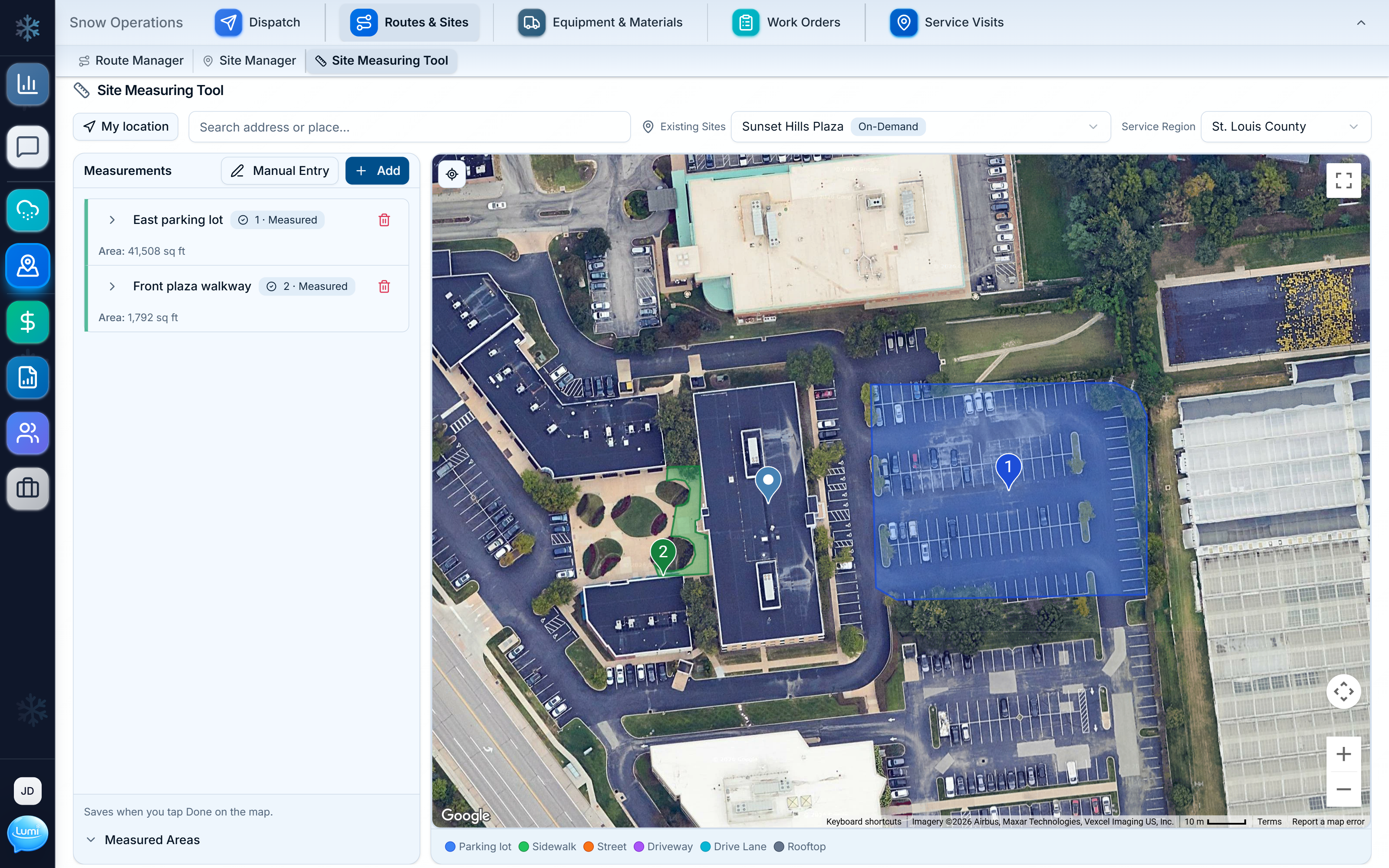
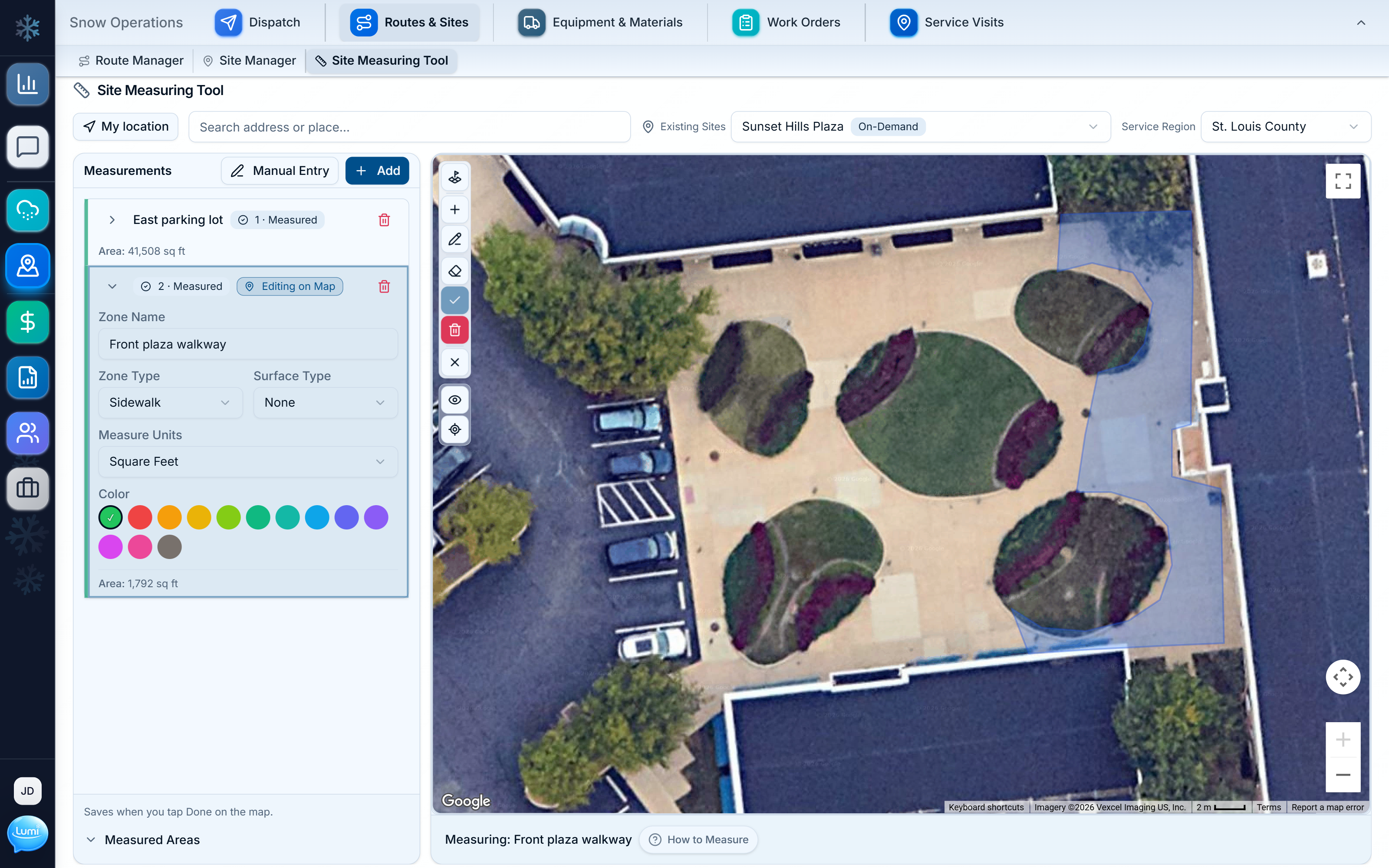
Outline parking lots, sidewalks, and drive lanes on satellite imagery to capture accurate areas and distances in seconds; no site visits, measuring wheels, or third-party tools required.
Remote Site Measurement
Search any address and trace lots, walkways, and curbs on high-resolution satellite maps to capture exact square footage, acreage, and linear feet from your desk.
Geofence Mapping
Set each site's operational boundary so dispatch, GPS check-ins, and equipment tracking line up with the property you actually service.
Zones & Measured Areas
Break a property into color-coded zones; parking lots, sidewalks, streets, and driveways; with per-zone totals that feed your quotes and salt usage.
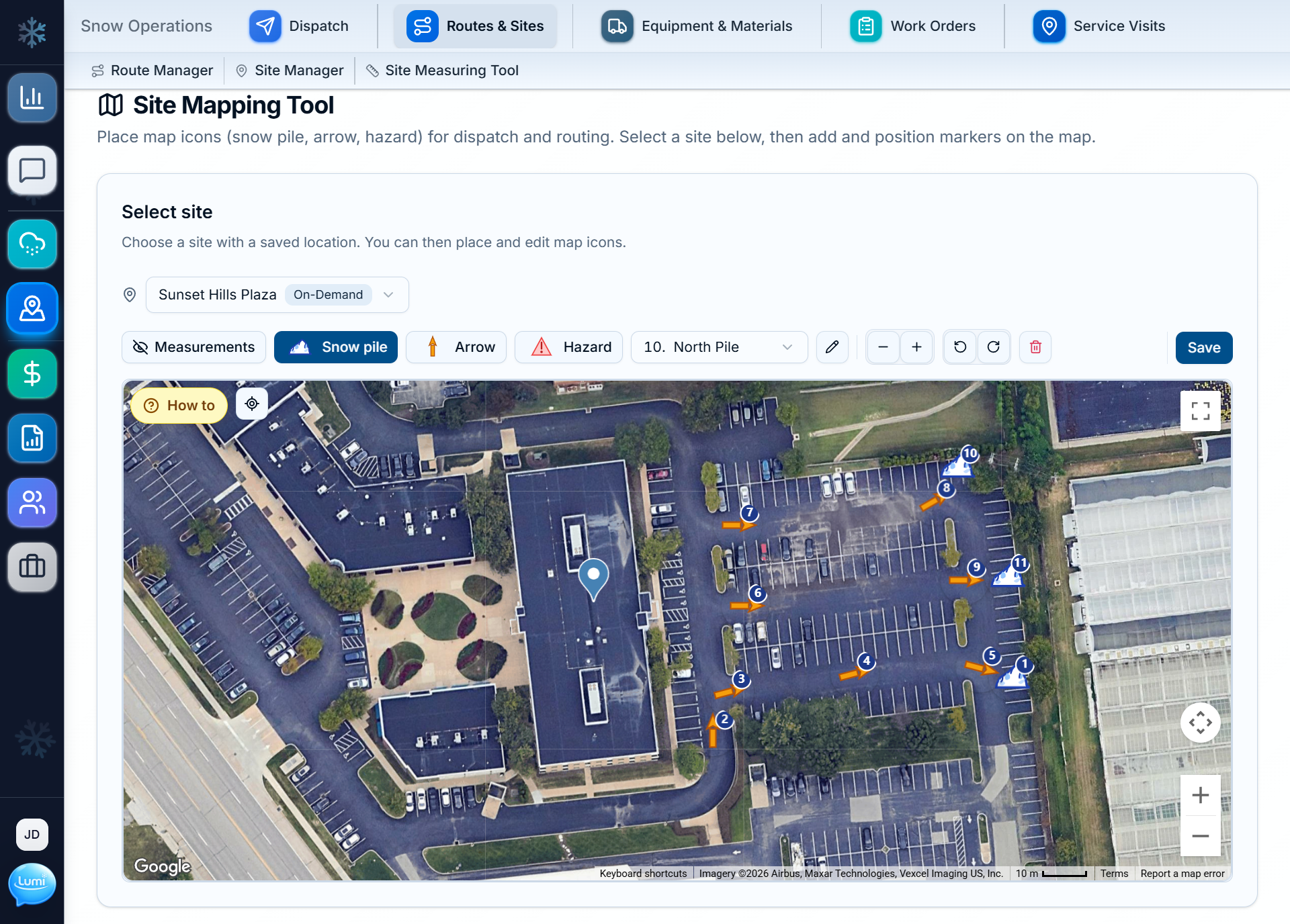
Draw your plow plan right on the map.
- Arrows show drivers which way to plow and where to go next
- Snow pile markers show exactly where to push and stack snow
- Hazard markers warn crews about curbs, drains, islands and other trouble spots
Drivers see the same markers in the app, so every crew works the site the same way, even on their first visit.
Accurate labor, every shift
Capture true on-site hours and turn crew work into clean timesheets without the paperwork.
Time Tracking
Drivers are checked in automatically when they arrive on site, so on-site time and job costing are accurate down to the visit.
Timesheets & Payroll
Crew work history rolls into timesheets you review, approve and run through payroll.
Subcontractor Ready
Add subcontractors with hourly, per-push or per-site pay and dispatch them alongside your own crews.
Know where every truck and every pound of salt goes
Keep track of your trucks, their condition and the materials they put down, without a clipboard.
Truck Check-out & Check-in
Have drivers check a truck out at the start of a shift and back in at the end, with an inspection of lights, blade, spreader and tires, plus fuel level, mileage and material left. Turn it on when you want it: require a truck check-out before work, and choose which inspection fields drivers fill in (hidden, optional or required).
Materials Used
Salt and other materials are logged when each visit wraps up, together with site conditions such as pavement and air temperature and snow depth.
Maintenance & Truck Down
Track maintenance for every truck. When one goes down, the driver reports it from the cab and dispatch swaps in a reserve truck.
Truck problems, materials used and inspections are all recorded from the phone.
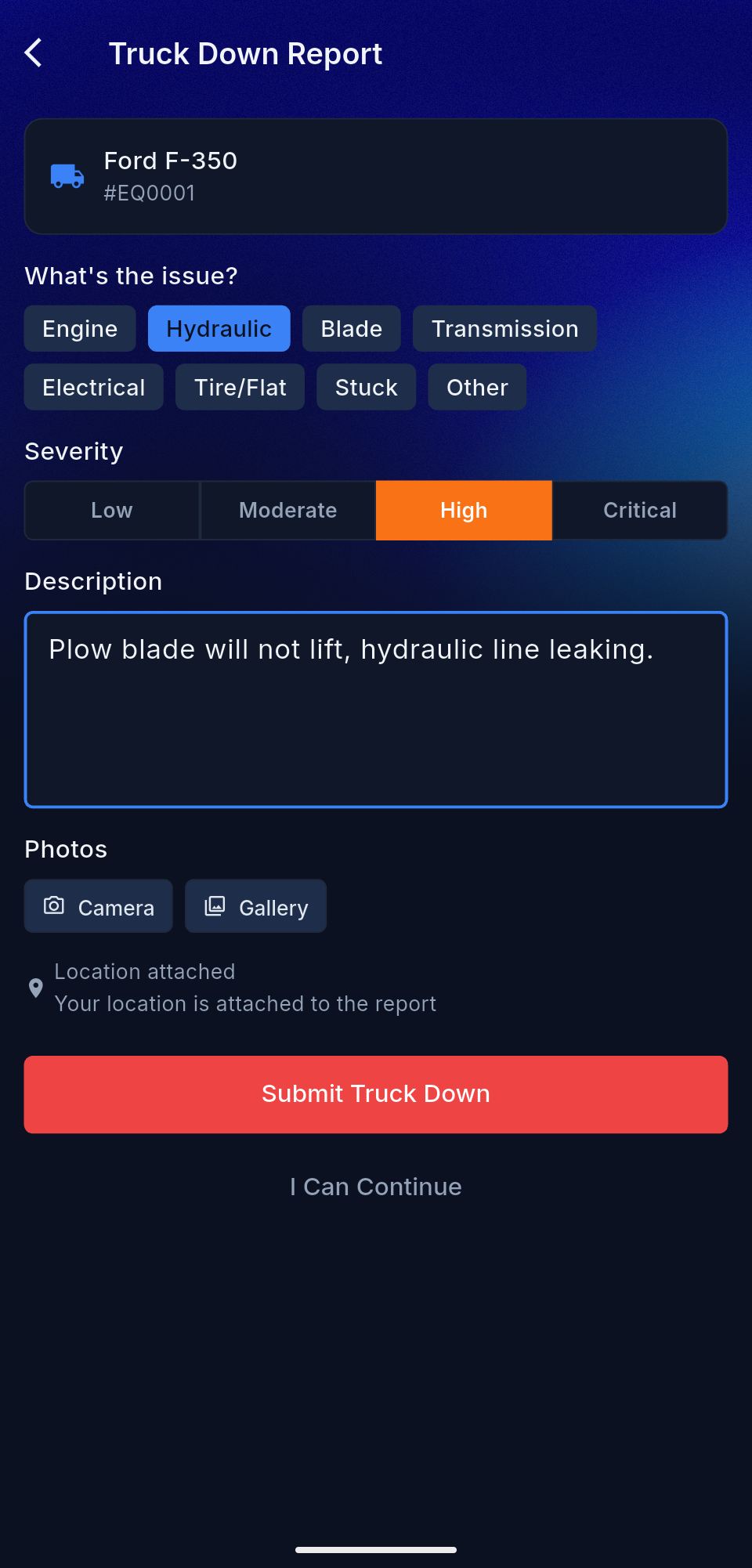
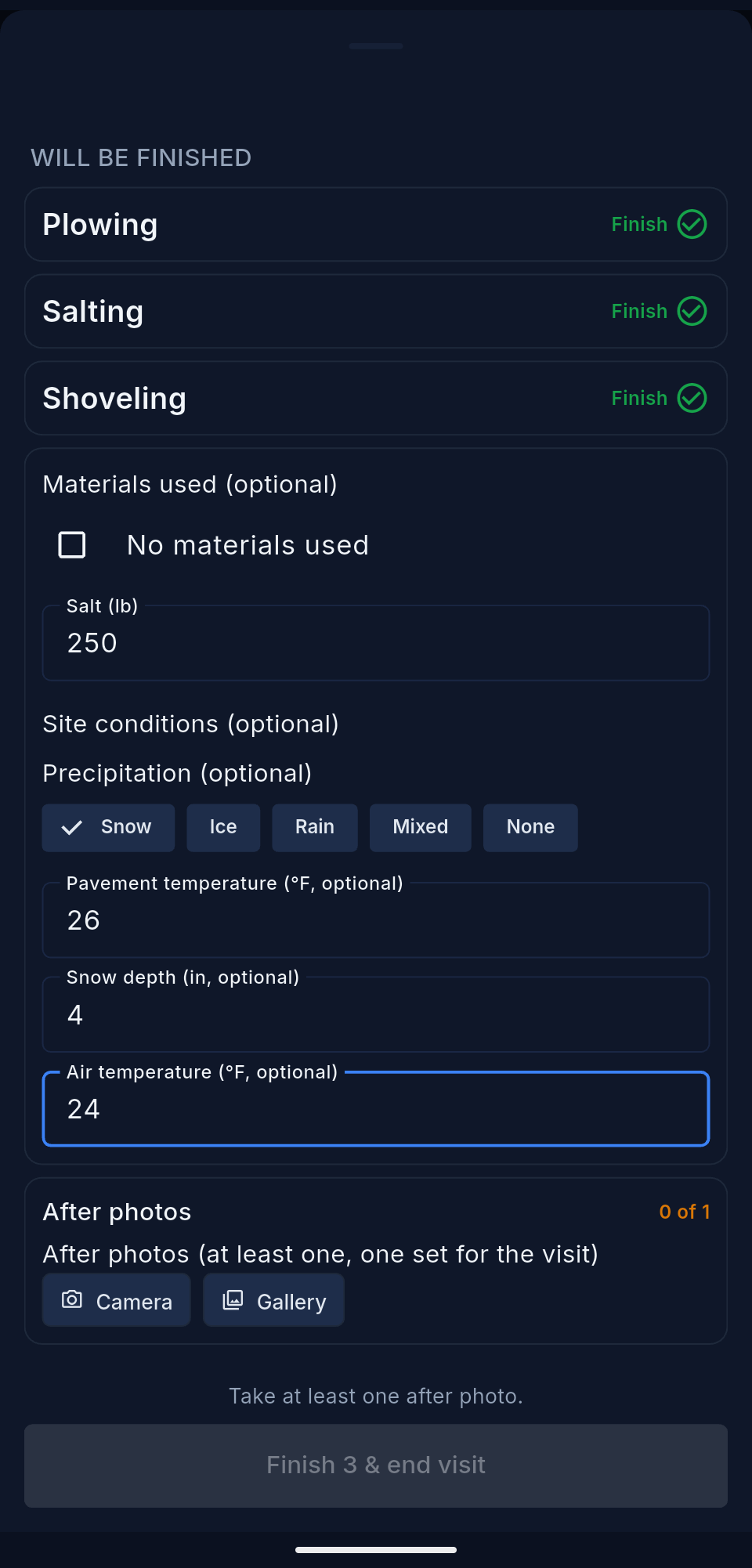
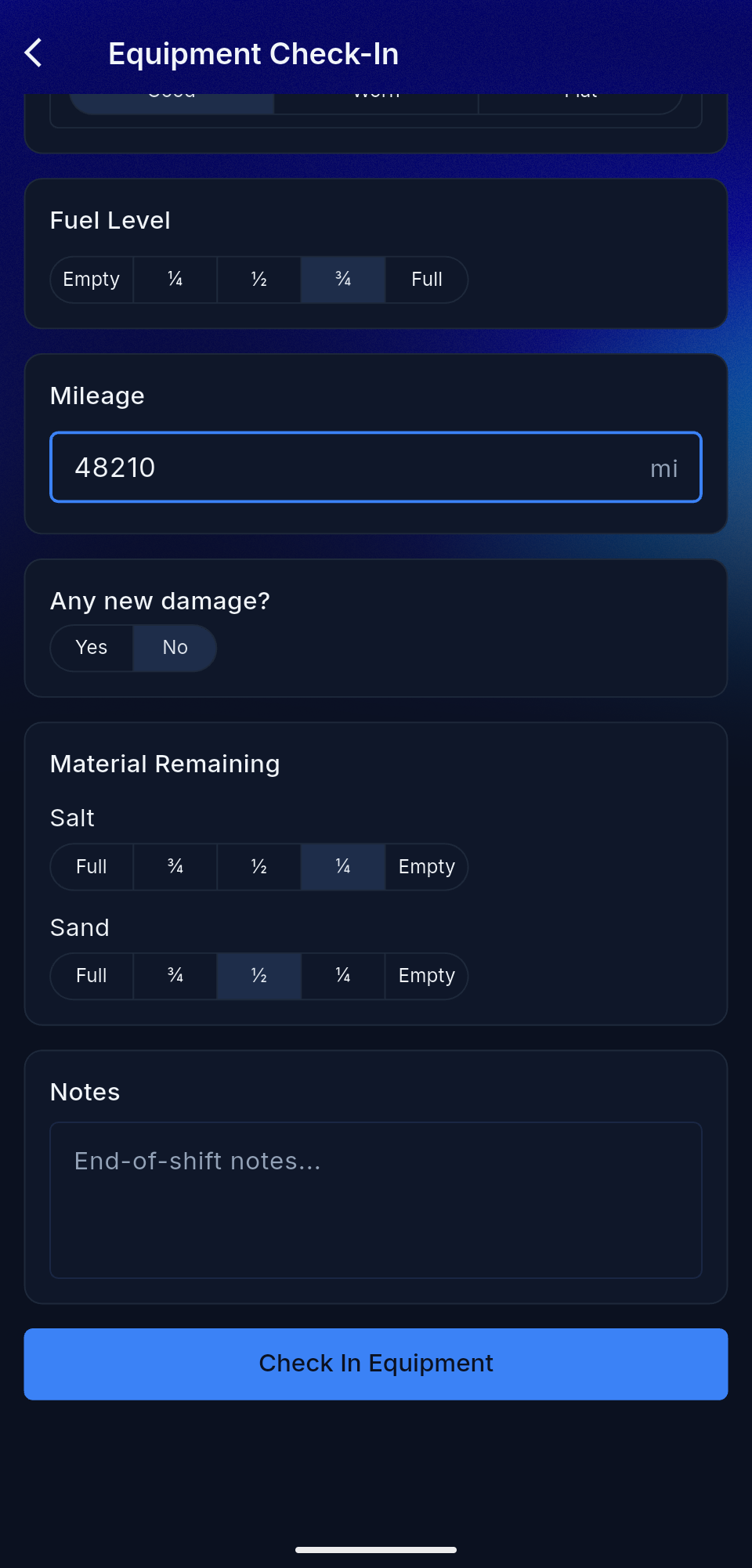
SnowLink is highly configurable to how your company works. For example: require a truck check-out before work or leave it off; choose which inspection, materials and site-condition fields drivers see and which are required; set how many before and after photos each visit needs; track the materials you use in your own units; and set your own services and rate types.
From estimate to invoice, faster
Win work with professional estimates, then turn completed service visits into accurate invoices; all priced from the rates you already agreed on.
Estimate Builder
Build professional estimates from real site measurements and your own rate types, then turn them into contracts. Rate types include hourly, per-push snow-depth tiers, lot size, fixed, per-item, and per-product.
Contracts & Agreed Pricing
Turn an accepted estimate into a contract to review, send by email and record the signed copy; the pricing you agree on is saved to the site and reused automatically every time you bill it.
Billing Center
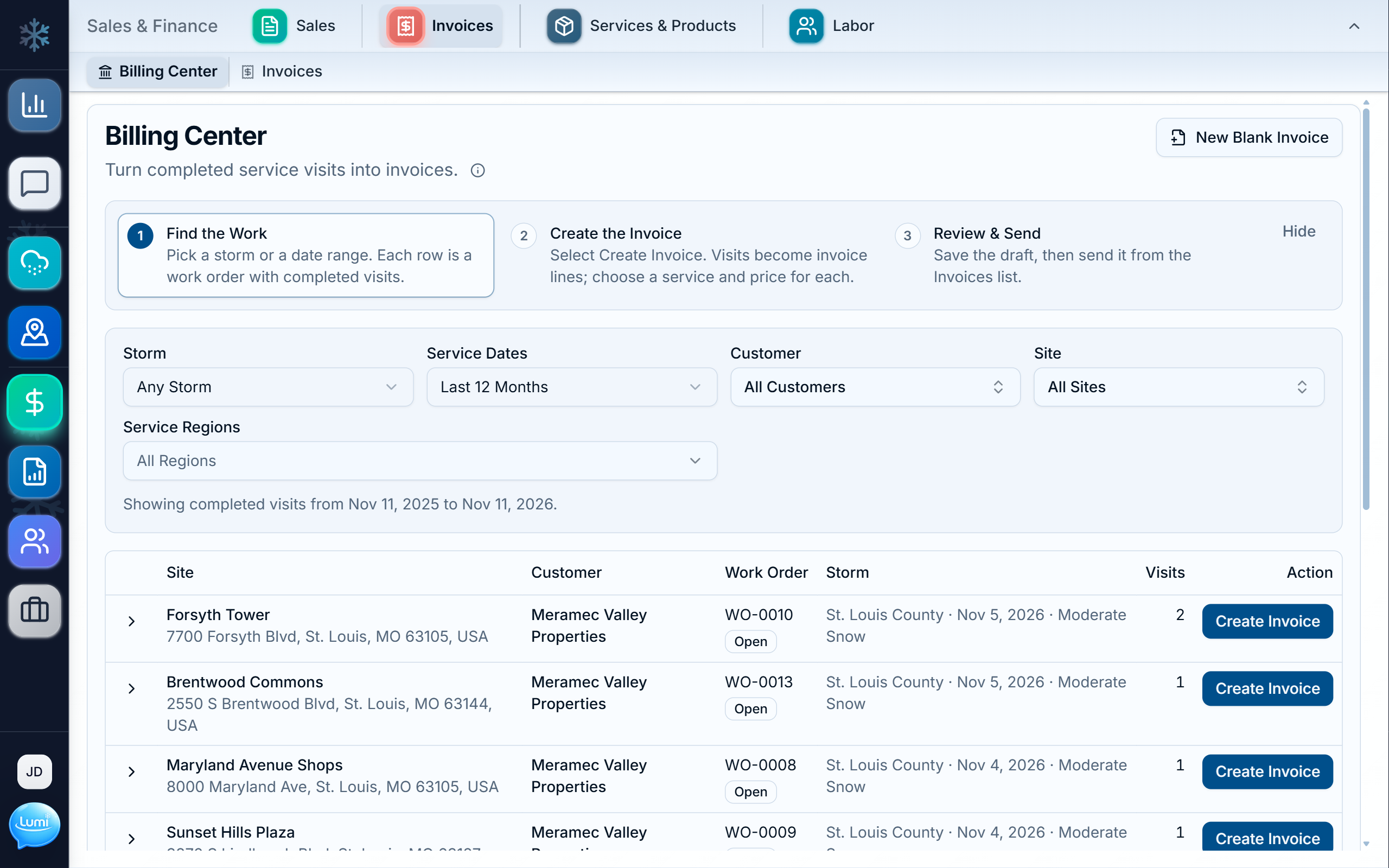
Pull completed service visits into invoices that price themselves from each site's agreed pricing, then email them to customers; no double entry.
QuickBooks Sync Coming soon
Send invoices and payroll to QuickBooks. Coming soon.
Protect your margins and your liability
Document every job with verified evidence, then turn that data into decisions.
Proof of Service
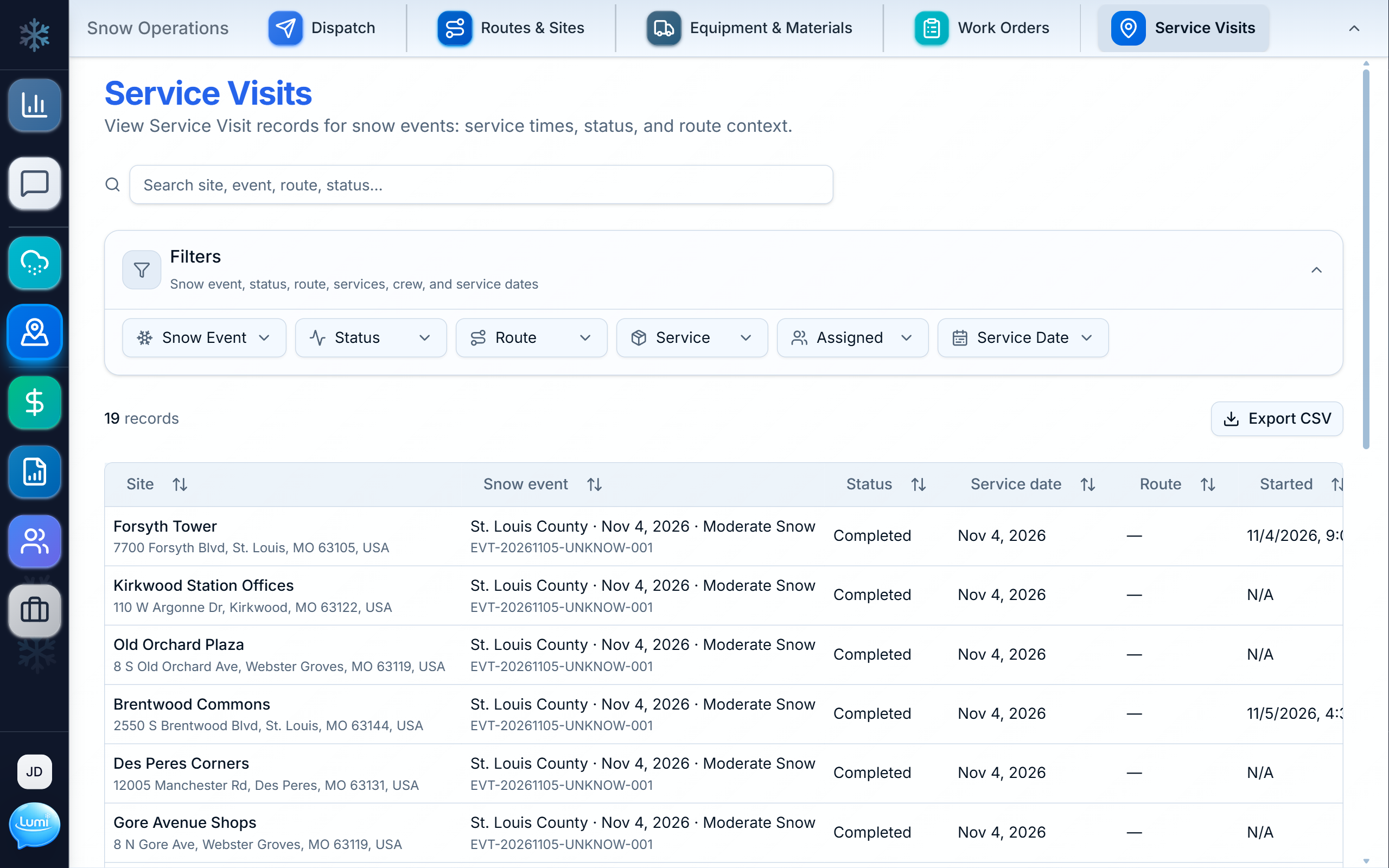
Before and after photos on every visit, stamped with the time and GPS location and tied to the crew and site, to protect against slip-and-fall claims.
Condition Records
Weather and road-camera condition records for every storm, kept with the visits they back up.
Service History
Keep an audit-ready history of every visit, with a printable condition report you can hand to a client or insurer.
Reports & Dashboards
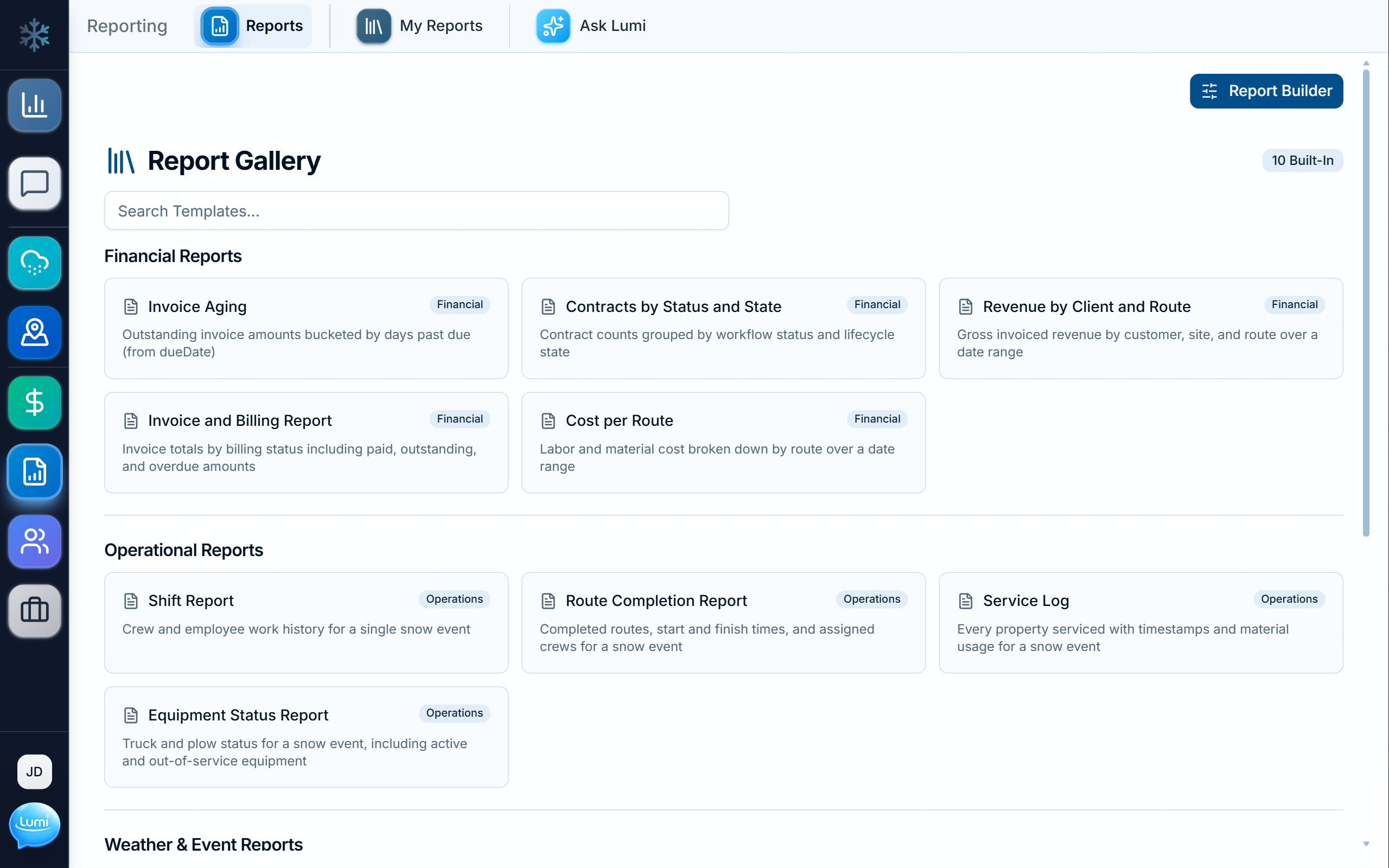
See how your season is going at a glance: money coming in and still owed, crew hours and response times, routes run, and material used. Build your own reports or start from ready-made ones, view them as charts, and export to a spreadsheet, or just ask Lumi, our AI assistant, in plain English.
Get answers and get set up faster
Ask Lumi about your operation in plain English, and bring your existing data in without retyping it.
Lumi AI Assistant
Ask questions about your operation, build reports and get suggested next steps.
Data Import
Bring your existing data in from spreadsheets, with help from Lumi.